Make a Splash with a Mermaid Birthday Invitation Template
Planning a child's birthday party involves a million small details, but the invitation sets the tone for everything. It's the first glimpse your guests get of the magical underwater world you're creating. A generic, static image often fails to capture the energy and excitement of a themed celebration. Parents and event planners need a solution that is visually stunning, easy to customize, and quick to distribute. This is where a dynamic, digital template changes the game, transforming a simple announcement into a memorable experience.
The Allure of an Animated Digital Invitation
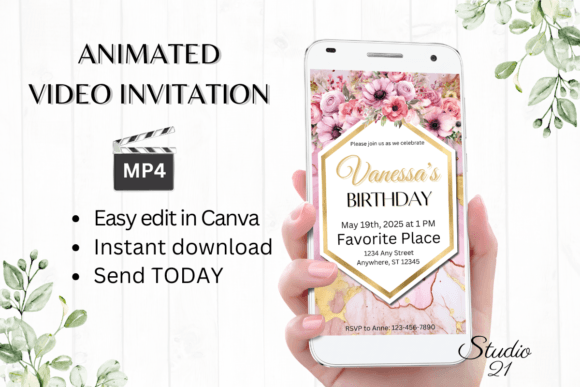
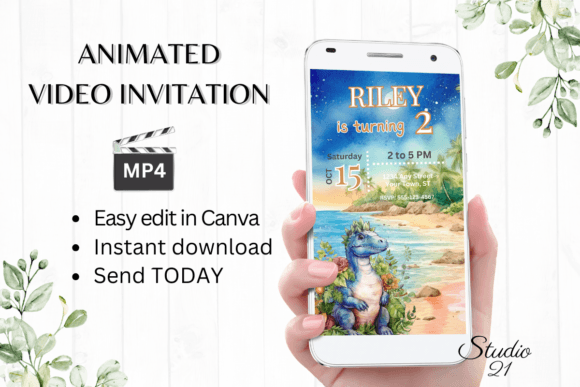
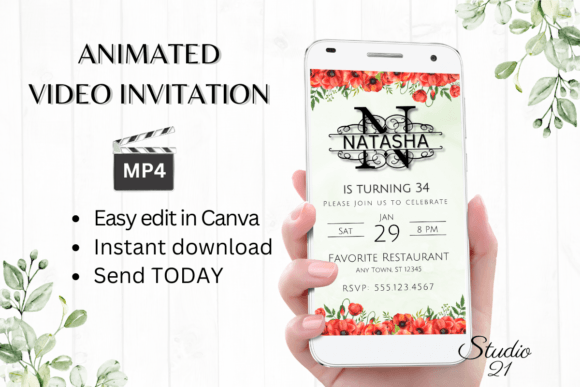
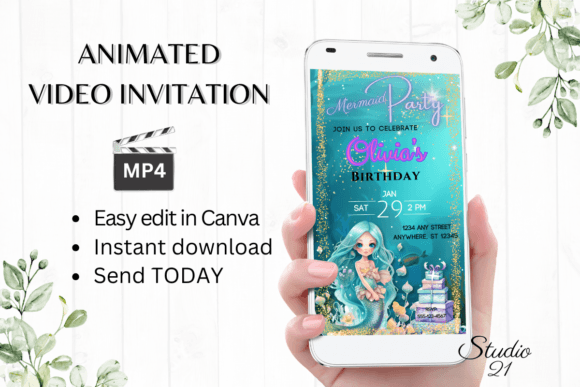
A Mermaid Birthday Invitation template isn't just a piece of paper; it's a piece of digital art. The visual personality of this style is inherently magical, playful, and enchanting. Imagine shimmering scales, gentle ocean waves, and soft, ethereal lighting that evokes an undersea grotto. The appeal lies in its ability to transport the viewer instantly. The animation adds a layer of life—a subtle sparkle on a treasure chest, a playful dolphin swimming by, or text that flows in with the current. This isn't static design; it's storytelling in motion. For a parent, it feels premium and thoughtful. For a designer, it’s a well-structured asset that balances whimsy with a clean, modern layout. The overall aesthetic avoids being overly childish, making it suitable for a wide range of ages, from a toddler's first "mermaid splash" party to a more sophisticated tween celebration.
The practical value of such a template is immense. The workflow is built for speed and simplicity. After download, you receive a direct link to edit the template in Canva, a free and widely accessible platform. This eliminates the need for specialized software like Adobe After Effects or Premiere Pro. There's no software to install, no fonts to manually load, and no complex timeline to manage. You can personalize every element directly in your browser or on the Canva mobile app. This is a critical advantage for busy parents who are juggling party planning with work and family life. The ability to edit and send within minutes isn't just a feature; it's a solution to a real-world problem of time scarcity.
From Template to Treasured Keepsake: The Editing Journey
The customization options are where the template truly shines, offering control without complexity. You can personalize text to include all the party details: the child's name, age, date, time, location, and RSVP information. Need to add a special note about swimwear or a gift registry? Simply add a new text block. If the default wording doesn't fit your voice, you can delete text and write your own. The template provides a robust framework, but you are the creative director.
Beyond text, the design elements are fully adjustable. You can change font style, color & size to match your party's specific color palette or to improve readability. The included fonts are chosen to complement the mermaid theme, but you have the freedom to experiment. You can also alter text effects like drop shadows or outlines to make key information pop. For those who want to refine the animation, you can change animation styles on text and graphic elements, adjusting the timing and type of movement to your preference. Once your design is perfect, you download your personalized evite as an MP4 file. This high-quality video file is universally compatible and ready to share.
Strategic Sharing and Final Considerations
Once you have your MP4 file, distribution is seamless. You can share the Mermaid Birthday Invitation via any messaging service that supports video: text message, WhatsApp, Messenger, iMessage, and more. It will play automatically in most apps, capturing attention instantly. For a more formal approach, you can use the shareable link provided by Canva to embed the invitation in an email or on a private event webpage. This flexibility ensures your invitation reaches every guest in the way that's most convenient for them.
It's important to remember that this is a digital download; no physical product will be shipped. This is an eco-friendly and cost-effective choice. You also retain the ability to edit the template at any time. If the party time changes or you need to add a last-minute detail, you can jump back into Canva, make the adjustment, and re-export the MP4. A final design note: colors may vary depending on the device used to view the invitation. The deep teals and vibrant purples of the ocean theme will look slightly different on a phone screen versus a desktop monitor, a common consideration in digital design. By choosing this modern, animated approach, you're not just sending an invitation—you're creating a moment of delight that builds excitement for the celebration to come.