Pastel - Resume: A Template to Actually Get You Hired
First Impressions in a Pile of Paper
You know the feeling. You've poured hours into your resume, written and rewritten your experience, and finally hit "apply." Then you wonder, what does it even look like on the other end? In a stack of hundreds of nearly identical documents, most resumes are forgettable. They're a wall of text, a sea of Times New Roman or Arial, and they give a hiring manager no reason to pause. This is where your design skills—or your access to good design assets—become your secret weapon. The Pastel - Resume template isn't just a document; it's a strategic tool built to make that crucial first impression count. It transforms your professional story from a plain text file into a polished, visual narrative.
More Than Just Pretty Colors
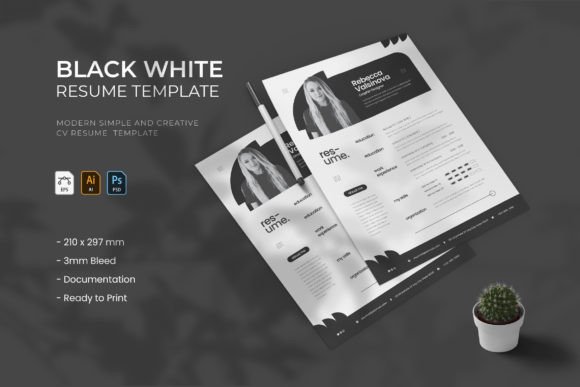
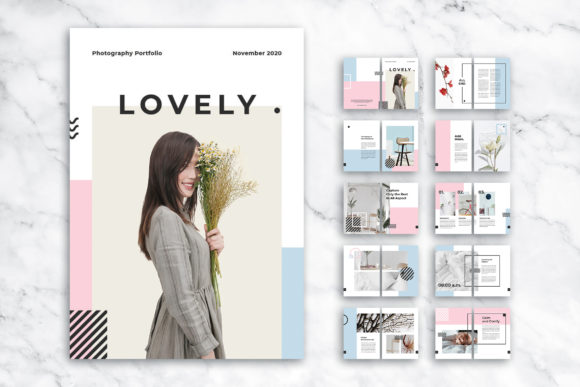
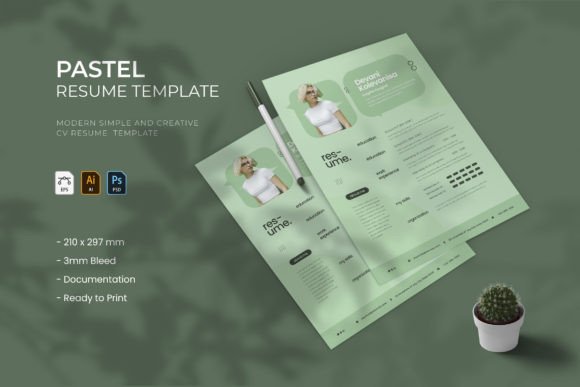
At first glance, the appeal of Pastel - Resume is its clean, modern layout. It breathes. White space is used intentionally, guiding the reader's eye from your name and contact information down through your career journey. The structure is intuitive: a sidebar often houses your contact details, skills, and interests, while the main column details your experience and education. This isn't just about aesthetics; it's about visual hierarchy. A recruiter can scan your entire professional profile in seconds, finding exactly what they need without effort. The template comes with three distinct color schemes, allowing you to tailor the tone—whether you're aiming for creative flair in a design agency or understated professionalism in a corporate setting.
What truly sets this premium font and template system apart is its professional-grade flexibility. Delivered as layered AI, EPS, and PSD files, it respects your workflow. If you're a designer comfortable in Adobe Illustrator, you can tweak every vector element. If you prefer Photoshop, the PSD file offers the same control. This isn't a locked PDF you can't edit. Every text block, every shape, every color is fully customizable. The built-in free fonts are carefully chosen to complement the layout's personality, ensuring typographic harmony from the start. You're not just filling in blanks; you're co-authoring the design.
Who Is This Resume Template For?
While its name says "resume," the Pastel - Resume template's utility extends far beyond job applications. Its stylish layout and clean typography make it a versatile design asset for various professionals. Entrepreneurs and small business owners can adapt it into a sleek company profile or a one-page pitch sheet. Marketers and bloggers might repurpose it as a media kit, showcasing their audience stats and past collaborations in a visually engaging format. For content creators and crafters, it serves as an elegant portfolio summary or a professional bio for website "About" pages. The template's structure is inherently communicative, making it perfect for any situation where you need to present information clearly and compellingly.
The key is understanding its brand identity. The "Pastel" aesthetic suggests a soft, approachable, and modern sensibility. It's less about stark corporate power and more about thoughtful professionalism and creative clarity. This makes it particularly effective for roles in marketing, design, publishing, digital media, and any field that values both competence and creativity. A photographer, a UX designer, or a social media manager would find this template aligns perfectly with their professional persona. It signals that you understand modern typography and care about presentation—qualities that are assets in any creative or forward-thinking industry.
Practical Tips for Making It Your Own
Getting the most out of a template like this requires a bit of strategy. Start by choosing the color scheme that best reflects the industry you're targeting. A subtle blue-gray might work for finance, while a muted terracotta could suit a boutique brand. Next, focus on readability. The template is designed for it, but you must uphold your end. Use the provided paragraph styles consistently to maintain a clean visual hierarchy. Replace the placeholder image with a professional headshot that matches the template's tone—friendly yet polished.
When customizing, think about font pairing. The included fonts are a great starting point, but if you have a specific brand identity with its own typeface, you can integrate it. Perhaps you use a particular serif font for your logo; you could apply it to your name header for cohesion. The goal is to make the template feel uniquely yours, not like an off-the-shelf product. Test the final PDF on different devices and print a physical copy. Check that the contact information is easy to find and that the experience section tells a clear story. Remember, this creative resume is a conversation starter. Its job is to get you to the interview; your job is to seal the deal once you're there.